You hand someone your paper business card. Three days later, 88% chance it is in a bin.
That is not an exaggeration. Research consistently shows that the overwhelming majority of printed business cards are thrown away within a week. You paid for design, printing, and shipping. The person you gave it to lost it in their laptop bag.
A digital business card solves this problem completely and once you understand how it works, you will wonder why anyone still uses paper.
Here is everything you need to know.
Quick Answer
A digital business card is a shareable online profile containing your contact details name, phone, email, website, and social links. You share it via a QR code, or links. The person receiving it opens it in their phone browser, no app required, and saves your contact in one tap. You can update your details anytime without reprinting anything.
What Exactly is a Digital Business Card?
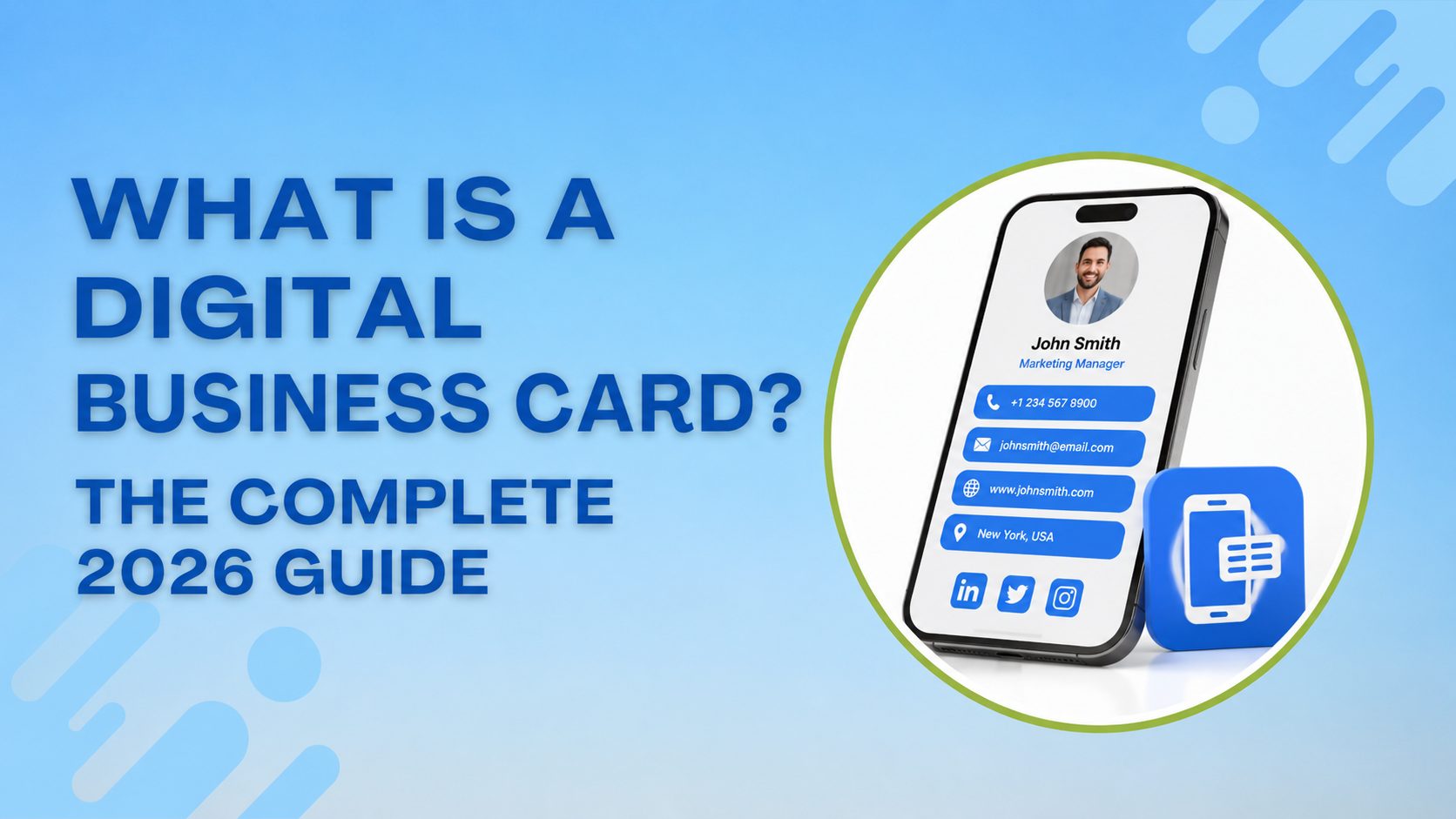
A digital business card is an online page that holds your professional contact information. Think of it as a mini website built specifically for networking but instead of someone typing in a URL to find it, they scan a QR code card and it opens instantly.
It contains everything a paper card does: your name, job title, company, phone number, and email. But it can also hold things a paper card physically cannot: a clickable phone number, a direct link to your LinkedIn, a portfolio, a booking button, an intro video, and your social media profiles.
The difference that matters most: when your phone number changes, your job title changes, or you move companies, you update your digital card once and everyone who has your link or QR code immediately sees the new version. No reprinting. No wasted stock. No awkward “oh, that number is actually old” moments.
How Does a Digital Business Card Work?
There are two ways to share a digital business card. Understanding all three helps you use the right method in the right situation.
1. QR Code
Your digital card comes with a unique QR code. You show it on your phone screen, print it on a physical card, put it in your email signature, or add it to your LinkedIn profile. The other person points their camera at it, no app needed and your card opens in their browser. One tap saves your contact to their phone.
This works on every smartphone made in the last five years. It is the most universal method and the one you will use most often.
2. Shareable Link
Every digital card has its own URL something like shareecard.com/yourname. You can send this link over WhatsApp, email, text message, or drop it in a Zoom chat. The recipient clicks it and your full card opens. Simple as sharing any other link.
This method is especially useful for remote networking virtual meetings, email introductions, or connecting after an online event.
What Goes on a Digital Business Card?
Less than you think. More than a paper card allows.
The essentials include these on every card:
- Full name
- Job title and company
- Phone number (clickable — tapping it should dial directly)
- Email address (clickable — tapping it should open a compose window)
- Website URL
- One profile photo (professional, not a holiday snap)
The extras add these if they are relevant to how you work:
- LinkedIn profile
- Other social media relevant to your industry (Instagram for creatives, Twitter/X for media and tech)
- A booking link (Calendly or similar)
- A short one-line bio or tagline
- Your physical office address if clients visit you
What to leave off:
- Multiple phone numbers pick one
- Every social platform you have an account on only the ones you actively use
- Your full address if clients do not need to visit you
One mistake people make when creating their first digital card: they try to put everything on it. A digital card is a first impression, not a CV. Keep it clean.
Digital Business Card vs Paper Business Card
This is the honest comparison no one seems to want to give.
| Estimation | Digital Card | Paper Card |
|---|---|---|
| Cost | Free (basic plans) | $25–$80 per 500 cards |
| Update when details change | Instant, free | Reprint entirely |
| Lost or damaged | Never — it lives on your phone | Common |
| Environmental impact | Zero paper waste | 88% end in bin within a week |
| Works without technology | No — needs a phone to receive | Yes |
| Shareable remotely | Yes — by link, email, text | No |
| Memorable at events | Less tactile | More tactile |
| Includes clickable links | Yes | No |
| Analytics (who viewed it) | Yes (paid plans) | No |
The honest conclusion: paper cards still win one thing the tactile, in-person moment. A well-designed printed card handed directly to someone has a physical presence a digital share cannot fully replicate.
But for everything else cost, flexibility, remote networking, keeping your details current digital wins by a significant margin.
The smartest approach most professionals take in 2026: print a small run of premium cards for in-person events and put your QR code on the back. That QR code links to your digital card. You get the best of both.
Who Should Use a Digital Business Card?
The short answer is: anyone who networks for professional purposes.
But some groups benefit more immediately than others:
Freelancers and consultants — you update your services, rates, and contact details regularly. A digital card means you never hand someone outdated information.
Sales professionals — sharing a card in the middle of a conversation, then tracking whether the person actually opened it, is only possible digitally.
Real estate agents — open houses are lead-generation events. A QR code on a property flyer that links to your digital card is more powerful than a printed card left on a table.
Job seekers — a digital card sent after a networking event or interview keeps your details in front of the right person and links directly to your LinkedIn and portfolio.
Small business owners — when your phone number, address, or service offering changes, you update once. Not 500 times.
Anyone who attends conferences — you meet 40 people in a day. Most of their cards end up in a pile you never sort through. A digital card that saves directly to someone’s phone contacts has a far higher chance of surviving past Monday morning.
Why Digital Business Cards Are Growing So Fast
The numbers are worth knowing if you are still on the fence.
The global digital business card market was valued at $238.75 million in 2026 and is growing at 12.2% annually, projected to reach $680 million by 2035 (Research Nester, 2026). Adoption among businesses has reached 37% up from just 16% in 2020 (Wave Connect, 2026). Businesses using digital cards report a 35% increase in post-networking follow-ups compared to those using only paper cards (Wave Connect, 2025).
The growth is being driven by three things: the rise of remote and hybrid work (where you cannot hand someone a card), the generational shift toward professionals who are more comfortable sharing a link than a card, and the simple economics a free digital card versus $50 every time your details change.
How to Create Your First Digital Business Card
Creating a digital business card on ShareEcard takes under two minutes. Here is the process:
Step 1: Go to shareecard.com and click Create FREE Card.
Step 2: Choose a template. Pick one that matches your industry — clean and minimal works for most professionals.
Step 3: Fill in your details. Name, job title, company, phone, email, website. Add a profile photo if you have one ready.
Step 4: Add your social links and any extras that are relevant — a booking link, your LinkedIn, your portfolio.
Step 5: Publish your card. You get a unique URL and a QR code automatically generated.
Step 6: Download your QR code, add it to your email signature, and share your link on LinkedIn. You are done.
The free plan covers everything a solo professional needs. If you want analytics, see who opened your card and when that is available on paid plans.
FAQ
Q: Is a digital business card free?
A: Yes. Most platforms including ShareEcard offer a free plan that covers all core features your card, a QR code, and a shareable link. Paid plans typically add analytics, multiple card designs, team management, and CRM integrations.
Q: Do people need an app to receive my digital business card?
A: No. When someone scans your QR code or clicks your link, your card opens directly in their phone browser. They do not need to download anything. They can save your contact to their phone with one tap.
Q:Can I have more than one digital business card?
A: Yes. Most platforms let you create multiple cards for example, one for your main job, one for a freelance side business, one in a different language for international contacts. ShareEcard supports multiple card profiles under one account.
Q: What happens to my digital card if I change jobs?
A: You simply log in and update your details: new company, new title, new phone number, whatever changed. Your QR code and link stay exactly the same. Anyone who saved your link or has your QR code will see the updated version the next time they open it. No reprinting, no messaging everyone your new details.