Here’s a situation every college student has faced: you meet someone useful, a recruiter at a campus event, an alumni speaker after a seminar, or a startup founder at a workshop, and you want to stay in touch. They ask how to reach you. You say your name, spell your email, and watch them type it wrong into their phone. That’s not networking. That’s hoping for the best.
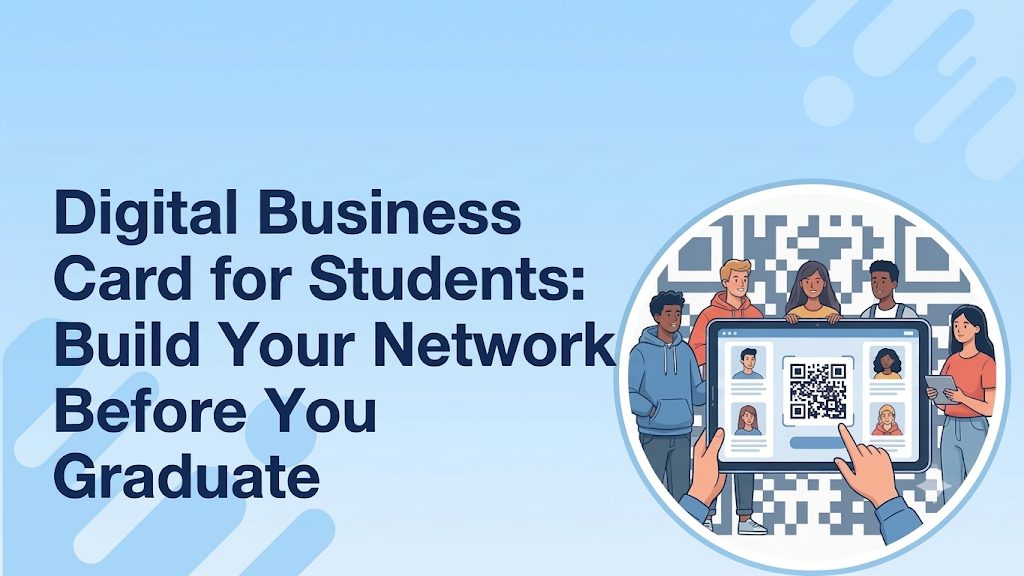
A digital business card for students fixes this exact problem. One QR code or one short link, and your name, contact details, LinkedIn, and portfolio land on their phone in under five seconds. No spelling. No typos. No “I’ll find you on LinkedIn later” that never actually happens.
The Real Reason Students Don’t Network Well
It’s not shyness. It’s not lack of connections. Most students struggle with networking because they have no system. They collect business cards from recruiters but give nothing back. They attend career fairs with a resume but nothing to hand over when a recruiter says, “Can I hold onto your contact info?”
Student professional networking tips always focus on what to say, but the bigger gap is what to leave behind. A business card for college students solves that. It turns a two-minute conversation into a saved contact, a visited portfolio, and a LinkedIn connection, all without any extra effort from either side.
Why a Digital Card Works Better Than Writing Your Number Down
When a recruiter gives you their card and asks for yours, writing your number on a sticky note or the back of their flyer is a red flag. It signals that you came unprepared. A digital card flips that moment entirely. You pull up a QR code, they scan it, done. You look organized, current, and intentional before you’ve said a word about your GPA.
This is especially true for students learning how to network in college for the first time. The awkwardness of not knowing what to say shrinks when you have something concrete to offer. A card gives the conversation a natural starting point: “Here’s my card, I’m studying UX design, and I’ve linked my latest project.”
What to Put on a Digital Business Card as a Student
Students overthink this. You don’t need a job title or a company name. You need the information that helps someone find you and understand what you’re about. Keep it to:
- Name and university: Your academic affiliation gives you instant context
- Course and year of graduation: recruiters think in hiring cycles, so your graduation year matters
- Email and phone number: Both still matter for professional outreach
- LinkedIn profile: This is non-negotiable; it’s where your full story lives
- Portfolio or project link: Critical for design, engineering, content, and marketing students
- One clear line about your focus: Final year finance student interested in investment banking” does more than a generic bio
A business card with LinkedIn and portfolio link for students works like a mini landing page. The recruiter gets your details, clicks your portfolio, sees real work, and remembers you. That chain of events simply doesn’t happen with a paper card.
How to Network at a College Career Fair Without Feeling Awkward
Career fairs move fast. Recruiters at busy booths talk to 40, 50, sometimes 60 students in a single session. Your goal is not just to have a good conversation but to be the person they can actually find again afterward.
Walk in with your QR code saved on your phone’s home screen. When a conversation wraps up and they say “send me your details,” you show the code. They scan. Done. You’ve just separated yourself from the students who said “I’ll email you tonight” and never did.
After the fair, send your digital card link in your follow-up email. Most students send a bland “thank you for your time” message. You send that same message with a direct link to your card, your portfolio, and your LinkedIn all in one click. That’s how to network at a college career fair in a way that actually produces results.
How to Share Contact Information at a University Networking Event
University networking events are less structured than career fairs, which makes them harder and also more valuable. You might end up in a conversation with an alumni who works at your dream company, with no booth, no name tag, and no natural moment to exchange cards.
This is where a digital card earns its place. You don’t need a printer or a wallet. You open your phone, show the QR code, and they scan it while you keep talking. If scanning feels awkward, you text the link on the spot. If they prefer LinkedIn, your card links straight there.
How to share contact information at a university networking event is less about the method and more about the readiness. Students who have their card ready in three seconds make a better impression than those who spend ninety seconds typing a link into someone else’s phone.
Why Students Choose ShareEcard Over Printing Cards Every Semester
Printed cards have one problem that never goes away: they expire. You change your email, add a new project, switch your career focus, and suddenly a hundred cards in your wallet are wrong. Every reprint costs money you don’t have and time you can’t spare between assignments and deadlines.
ShareEcard solves this entirely. Create your card once for free, and it lives at the same link forever. When something changes, you update it in seconds, and everyone who already has your link sees the new version automatically. No reprinting, no wasted cards, no explaining to a recruiter that your old number no longer works. The person receiving it just scans your QR code or taps a link that opens straight in their browser, no app download needed on their end.
For a digital business card for recent graduates still building their early professional identity, this matters even more. Your first year out of college involves constant updates like a new job title, new projects, and a new city. A static printed card can’t keep up with that pace, but a live digital card always stays current.
Questions Students Actually Ask About Digital Business Cards
Can a student use the same digital card for both campus events and online job applications?
Yes, and this is one of the biggest advantages. Your card link works everywhere: paste it into an email, drop it in a LinkedIn connection request, or show the QR code in person. You never need a different version for different situations.
What if I change my major or career goal halfway through college?
You update your digital card once, and the link stays the same. Anyone who already saved it sees the updated version automatically. No reprinting, no redistributing, no explaining that your old card is outdated.
Is it weird for a first-year student to have a business card?
Not at all. Professors, guest speakers, and alumni mentors appreciate when a student takes the initiative to exchange contact details properly. A digital card at a first-year seminar signals you’re thinking ahead, which is exactly the impression you want to make early.
Can I use a digital business card to follow up after a cold email to a professor or alumni?
Yes, and it works well. Add your card link at the bottom of a cold email instead of just your name and phone number. The person on the other end can click straight to your LinkedIn and portfolio without having to search for you manually.
Does a digital business card actually get opened after a career fair, or do people ignore the link?
A link is far more likely to get opened than a paper card that sits in a stack. When you follow up by email the same evening and include your card link, the recruiter has your full profile one click away while your conversation is still fresh in their mind.
What is the best time during college to create a digital business card?
Before your first networking event, career fair, or professor office visit, whichever comes first. Most students wait until final year. Creating one in your first or second year means every campus interaction builds your network earlier, when you still have time to act on those connections before graduation.